m4v codec
To play properly m4v videos in FLVPlayer4Free you need to install m4v codecAnother solution to play M4V video files is VLC Media Player, click HERE to download, 100% Free.
How to installl M4V codec to play M4V files in FLVPlayer4Free:
-Close FLVPlayer4Free
-Download free m4v codec from here (FFDSHOW)
-Install FFDSHOW
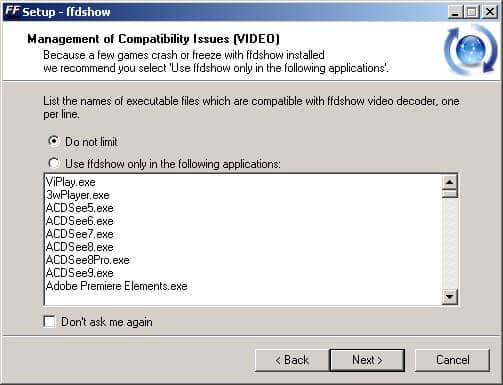
-REMEMBER to select "Do not limit" in "Management of Compatibility Issues (VIDEO)" window
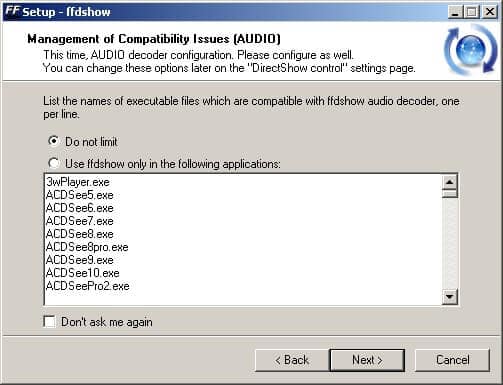
-REMEMBER to select "Do not limit" in "Management of Compatibility Issues (AUDIO)" window
-Download free m4v splitter codec from here (Haali Matroska)
-Install Haali Matroska
-Run FLVPlayer4Free and open m4v video
After wasting lots of time, we have found a few m4v converters that works!
Check below for free download of the top m4v video converter products that we recommend
Try it out and see for yourself
M4V RESOURCES
- m4v doom9 - m4v codec FAQ
- m4v Wikipedia - Useful info about m4v codec